Waterproof Marine Monitor Solutions for Garmin Compatible Displays and Modern Bass Boat Setups
A useful fish finder setup is not just about the electronics at your console. It is also about how easily you can read the information during a cast, follow a target, or study a change in depth. If your main display sits far from your fishing position, checking it can interrupt your focus. A second screen can help solve that problem by bringing supported information closer to where you stand and fish.
NorthWave Marine offers marine monitor options for anglers who want a more practical way to view compatible Garmin video output around their boats. A well-planned fishing boat monitor setup can help you use your existing electronics from another viewing position, provided the source unit supports the required video connection. The aim is simple: make useful information easier to see without turning your deck into a crowded electronics station.
Turn Your Existing Garmin System into a More Flexible Viewing Setup
Replacing a working chartplotter is not always the first step toward a better screen layout. Some boat owners want to keep their main Garmin unit at the console while adding another display near the bow. A compatible fishing display screen can provide that second viewing point, depending on the output supported by the original device and the inputs available on the monitor.
This setup is especially useful to consider during boat planning. You can decide which information you need at the console and which view would be helpful near your casting position. Before selecting equipment, check whether your exact Garmin model can send a suitable video signal. Many fish finders do not offer a standard video output, so screen mirroring should never be assumed from the brand name alone.
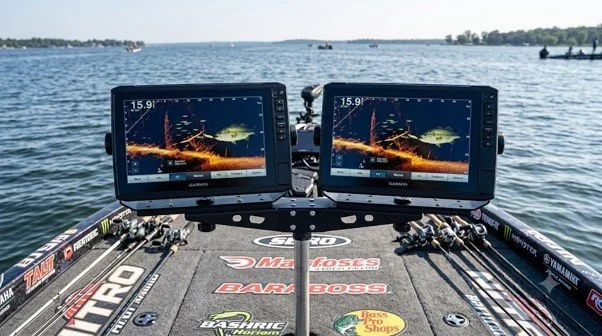
Choose Screen Space That Matches the Way You Fish
A screen that looks large in a product photo may feel very different after installation. Viewing distance, sunlight, mounting height, and the angle of your normal stance all affect how easy it is to read information. A large fishing display can give supported images more room on screen, but its value depends on how well it fits your boat and your fishing routine.
NorthWave Marine offers three monitor ranges to suit different display needs. The LITE has a 16-inch screen, the WAVE range includes 18.5-inch and 19-inch options, and the MAX features a 22-inch screen. These choices let you compare screen area against the space available on your boat. Think about where you stand, how far away the monitor will sit, and whether the screen could block a clear view of your deck or equipment.
What Makes a Marine Monitor Suitable for Life on the Water?
A boat display faces conditions that ordinary indoor screens are not designed to handle. Spray, damp surfaces, glare, vibration, and changing light can affect daily use. A waterproof marine monitor should be selected according to its stated water protection, operating limits, and intended installation conditions. The word waterproof alone is not enough to confirm that a display suits every mounting position or exposure level.
A waterproof marine display should also fit the practical needs of your boat. Check its brightness, screen readability, power requirements, mounting method, and supported video connections. These details matter because a screen that connects correctly but is hard to read in daylight may not serve your purpose well. Review the manufacturer's specifications for the conditions and installation methods the monitor supports before making a final decision.
Mount the Screen Around Your Fishing Movements, Not Just Available Space
The best mounting point is not always the first flat surface you find. Your monitor should sit within a natural line of sight while leaving enough room for casting, handling rods, moving across the deck, and reaching boat controls. Marine screens with gimbal mount options may provide adjustable viewing angles, depending on the specific mount and monitor design. Confirm the mounting system's fit, load limits, and suitability for your intended position.
Plan the cable route before drilling or attaching hardware. Cables should not cross walking areas, snag on fishing gear, or interfere with moving parts. You should also leave access for service and removal if the display needs inspection. A thoughtful installation can make the screen easier to use and help keep the boat organized during long days on the water.
Is an Ultra High Definition Screen Always the Better Choice?
An ultra-high-definition marine monitor may offer a high-resolution image, but the result depends on the whole video chain. Your Garmin source must provide a compatible signal, and the monitor must support that signal at the intended resolution. A monitor cannot add sonar detail that the original electronics did not capture or transmit.
For this reason, choose based on the information you need to see, the signal your equipment can supply, and the viewing conditions on your boat. Also consider whether you need a dedicated marine monitor or a marine TV monitor for boat use. These products can have different connection options and environmental ratings, so confirm the intended application rather than relying on screen size or resolution alone.
Get the Connection Details Right Before You Buy
Before ordering a monitor, identify the full model name of your Garmin unit and review its official specifications. Confirm video output support, monitor input compatibility, resolution limits, power needs, cable requirements, and mounting options. If any part of the connection is unclear, seek confirmation before purchasing. This simple check can help prevent an expensive mismatch and save installation time.
It is also important to understand what mirroring can and cannot do. A compatible monitor displays supported output from the source device. It does not automatically provide separate sonar readings, increase sonar range, or improve target detection. Its main purpose is to give you another suitable place to view information from your existing system.
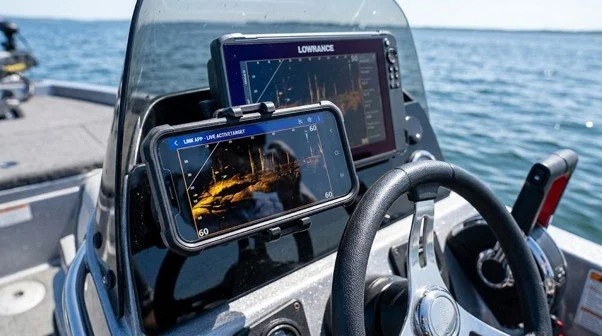
Build a Better Viewing Setup with NorthWave Marine
The right screen should fit your boat, connect to your electronics, and support the way you fish. NorthWave Marine offers LITE, WAVE, and MAX monitor options for anglers planning a more flexible viewing arrangement with compatible marine electronics. Rather than choosing by size alone, start with your Garmin model, the location you want to view from, and the connection your system supports.
Visit NorthWave Marine to compare our monitor options and review which display may suit your bass boat layout. With the right compatibility checks and a well-planned installation, you can bring supported information closer to your fishing position and make better use of the electronics you already own.
Frequently Asked Questions
-
Consider your boat layout, viewing distance, sunlight exposure, water protection rating, mounting space, and connection needs. Check your Garmin model first to confirm compatible video output.
-
Connection depends on your exact Garmin model and its supported outputs. Confirm video output, monitor input, cable requirements, and resolution support before buying a compatible display.
-
Compare screen sizes with your viewing distance, available mounting space, and casting position. NorthWave Marine offers LITE, WAVE, and MAX options for different layouts.
-
No, protection levels and operating limits vary by model. Review the manufacturer's water protection rating, brightness, vibration limits, mounting guidance, and intended installation conditions before purchase.
-
A larger monitor can make supported information easier to view, but it does not increase sonar range or accuracy. Those depend on your compatible electronics and transducer setup.