Big Screen,
Real Clarity.
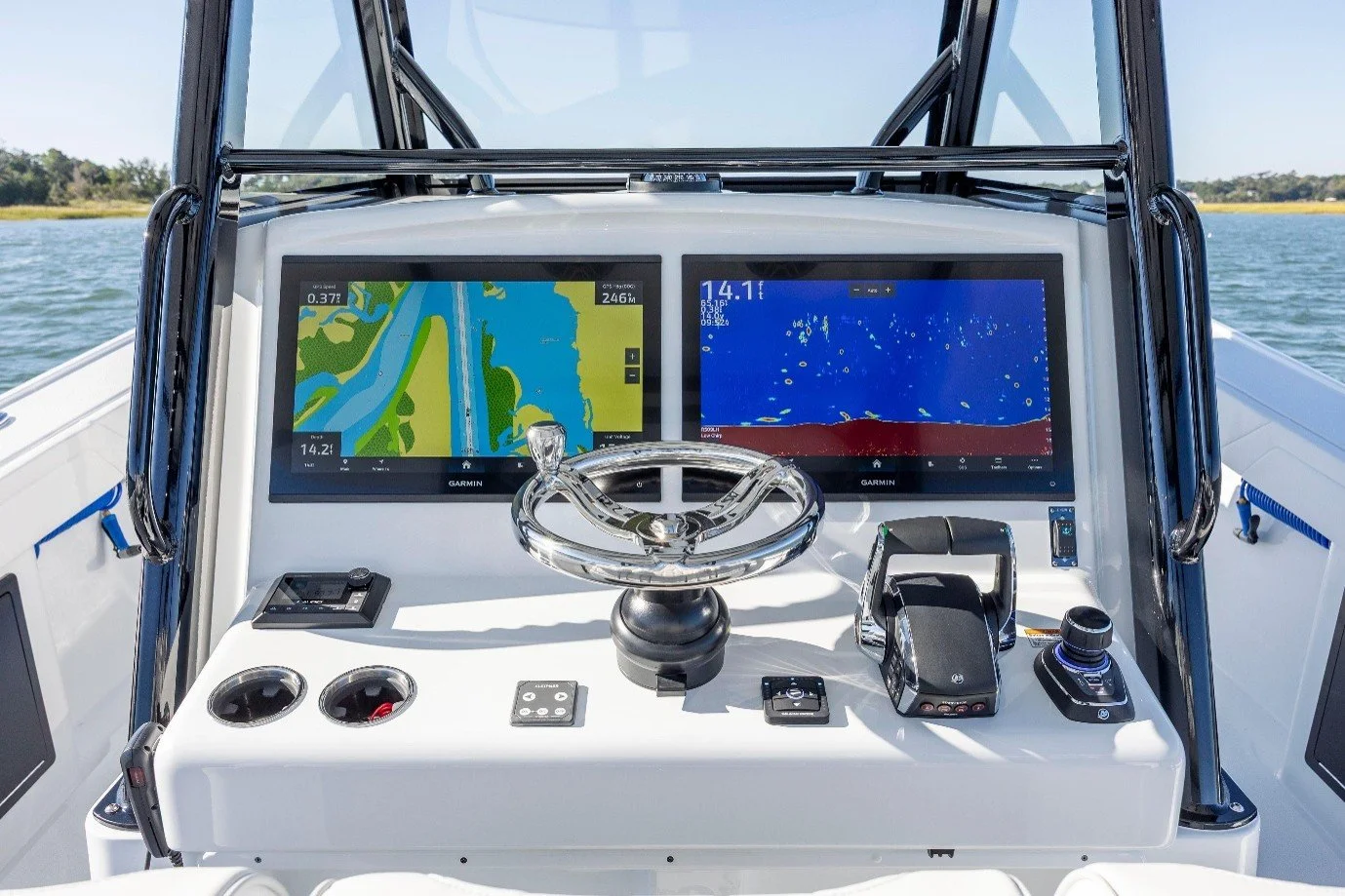
NorthWave Marine Makes High-Clarity Garmin Mirroring Displays for Advanced Fishing Boat Setups
Your main fishfinder may sit at the helm, but much of the action happens at the bow. You may be casting toward a target, checking underwater structure, or following a route while standing far from the console. Walking back to check your electronics can interrupt your focus. NorthWave Marine offers a smarter way to arrange your fishing screens with marine mirror displays that show a compatible Garmin fishfinder or chartplotter screen on a larger secondary display. Keep your main Garmin unit as the source, mirror its view to another screen, and place that screen where it suits your fishing style. This gives you more freedom to plan your boat layout without building an entirely separate electronics station.
For many anglers, the goal is to keep useful fishing information within view as they move around the boat. A larger secondary screen can help make that possible. You can plan your display setup around the places where you cast, watch sonar, or check your chart. NorthWave Marine helps you make better use of your compatible Garmin electronics by giving you another way to view the same screen.
One Garmin Source, More Room to View Your Fishing Data
A multi-screen boat setup does not always require a second main head unit. NorthWave Marine focuses on screen mirroring, allowing a compatible Garmin display to appear on a larger secondary marine screen. The information comes from your supported Garmin unit, so the mirror display serves as another viewing point rather than an independent fishfinder or chartplotter. This distinction matters because anglers can plan their setup around the electronics they already own. You can choose a display location that works for your fishing routine, whether that means viewing the screen from the bow or creating a more useful layout elsewhere on the boat. The result is a setup built around access to your existing Garmin display, with less need to duplicate the main unit at every viewing position.
This setup can be useful if you want to see your main screen while fishing away from the helm. Instead of buying another main unit for that viewing spot, you can explore a compatible mirror display. Your Garmin head unit remains the source of the information. The secondary screen gives you another place to see it, helping you plan a layout that fits the way you fish.
One Garmin Source, More Room to View Your Fishing Data
The right display size depends on the room available, the distance from which you plan to view the screen, and how you use your Garmin electronics. NorthWave Marine offers the LITE, WAVE, and MAX marine mirror displays to give anglers different screen size options. The LITE suits setups where space is a key factor, while the WAVE offers a larger viewing area for anglers who want more room on screen. The MAX is designed for those who prefer a large format display and have space for it on their boat. Think about where you will mount the screen, your viewing angle, and how much room the display will take up before making your choice. A well-planned screen layout can make your electronics easier to view without crowding the area where you fish.
Each model gives you a different screen size to consider for your boat. Look at your available mounting space and think about how far away you will stand while viewing the display. A screen that suits your boat should fit the space and offer a useful view from your normal fishing position. Compare the models before you decide which one best meets your needs.
A Clear View of the Garmin Display You Already Use
Screen clarity matters when you rely on sonar views, chart details, and other information from your marine electronics. NorthWave Marine mirror displays are designed to show compatible Garmin screen content with high clarity and resolution. This lets you view the mirrored image on a larger secondary display while keeping your main unit at the helm. It is a practical option for anglers who want a bigger view of their existing screen rather than a separate system with its own independent data source. Your Garmin unit remains central to the setup, and the mirror display extends where you can see its output. The purpose is simple: make your current display easier to view from another suitable location on the boat.
A clear screen can help you read the details shown by your Garmin unit from your chosen viewing spot. This is useful if you want to check your display while casting or moving around the boat. The mirror screen shows the content sent from your compatible main unit. It does not replace the need for a supported Garmin system, so checking your equipment before you buy remains an important step.
Check Garmin Compatibility Before You Choose a Display
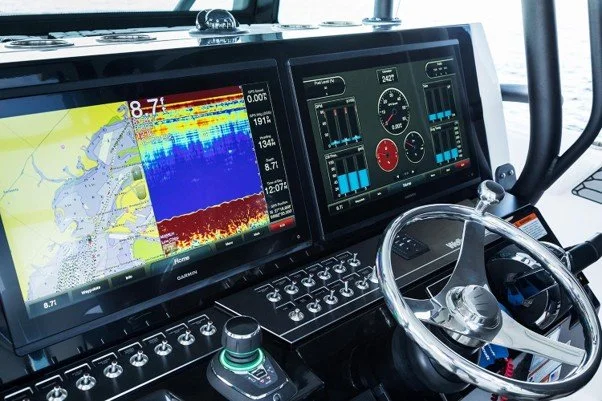
A good screen setup starts with the right connection and supported equipment. NorthWave Marine supports selected Garmin GPSMAP units, including models in the 12x3, 15x3, and 16x3 series, selected 8400 and 8600 series units, and the 9000 series. Compatibility also includes supported ECHOMAP Ultra 2 models, subject to the specific model and configuration. Not every Garmin device will work with every mirror screen, so check the current compatibility guide before placing an order. Review your head unit model, the planned display location, and the connection requirements for your boat. NorthWave Marine provides an installation guide to help you understand the setup and make a more informed product choice. Confirming these details first can help you avoid choosing a screen that does not match your electronics.
Start by finding the model name of your Garmin head unit. Then compare it with the supported models listed in the NorthWave Marine compatibility guide. If you are unsure about your unit or the planned connection, contact the team before ordering. This simple check can help you choose a display that fits your existing equipment and gives you a clearer plan for installation.
Build a Fishing Setup Around the Way You Fish
The best display arrangement is one that suits your boat, your electronics, and the way you spend time on the water. A bow-mounted mirror screen can give you access to your Garmin display while fishing away from the helm. A secondary screen in another suitable position can help make the information easier to see without changing the role of your main head unit. NorthWave Marine designs its marine mirror displays for anglers who want more choice in how they view their Garmin electronics. The displays feature waterproof construction for marine use, but the planned mounting position and installation still need to suit your boat. Review the product details and installation guidance to make sure your chosen setup meets your needs.
Before you settle on a screen location, consider how you move around your boat during a normal fishing trip. Make sure the display can be viewed comfortably and that the mounting spot works with your layout. Planning these details can help you make better use of your screen and keep your fishing area practical.
A Smarter Way to Expand Your Fishing Boat Display
Your boat electronics should suit your fishing routine, not force you to keep returning to one viewing point. NorthWave Marine helps anglers explore a more flexible approach through marine mirror displays made for compatible Garmin systems. Compare the LITE, WAVE, and MAX models, check compatibility with your current head unit, and review the installation guide before choosing your display. If you are unsure which model fits your boat or Garmin setup, contact NorthWave Marine for guidance before ordering. Visit NorthWave Marine to explore the available displays and find the right option for your next fishing boat upgrade.
Take time to review the product details and choose a screen that fits your needs, your available space, and your Garmin system. A well-planned setup can give you another place to view the fishing information you already use.
Visit NorthWave Marine today to compare the mirror displays and get help choosing the right option for your boat.
Frequently Asked Questions
-
NorthWave Marine offers marine mirror displays that show compatible Garmin fishfinder and chartplotter screens on secondary displays, helping anglers view their existing electronics from other boat locations.
-
A Garmin mirror screen displays content from a compatible main Garmin unit. It provides another viewing point without acting as a separate, independent fishfinder or chartplotter.
-
NorthWave Marine supports selected Garmin GPSMAP and ECHOMAP Ultra 2 models. Check the compatibility guide for your exact unit and connection requirements before choosing a display.
-
Consider your available mounting space, viewing distance, and fishing habits. Compare NorthWave Marine models and check Garmin compatibility to find a display that suits your setup.
-
Our adaptable methodology serves manufacturing, retail, professional services, and public sector entities.