Find the Right Installer for Waterproof Marine Displays and Garmin Fish Finder Systems
A new marine display should do more than light up. It should fit your boat, show the information you need, and work with your existing electronics. For bass boat owners, adding a waterproof monitor can create a more useful viewing point for sonar, maps, and supported Garmin screen content. The key is choosing the right display and making sure the installation plan suits your boat.
NorthWave Marine offers waterproof marine monitors for compatible screen mirroring setups. If you want a screen near the bow, a larger view of your fish finder, or a cleaner layout for your electronics, the right installation starts with understanding what your current system can support. This helps you avoid buying a monitor that cannot connect as planned.
Your Boat Has a Screen Problem. Is the Answer a New Display or a Better Setup?
A small display is not always a reason to replace your fish finder. You may already have a working Garmin unit at the helm, but its screen may be difficult to view from the front deck. In this case, a compatible secondary monitor could provide another viewing point without removing your original head unit.
The first step is to identify the real problem. Do you need a larger image, a screen closer to your casting position, or a replacement for a damaged unit? These are different needs and call for different solutions. A qualified marine electronics professional can assess the current equipment and help you understand which options are practical.
At NorthWave Marine, we focus on waterproof monitors for compatible marine display setups. Our goal is to help boat owners explore screen options that fit their intended use, rather than choose a display based on size alone.
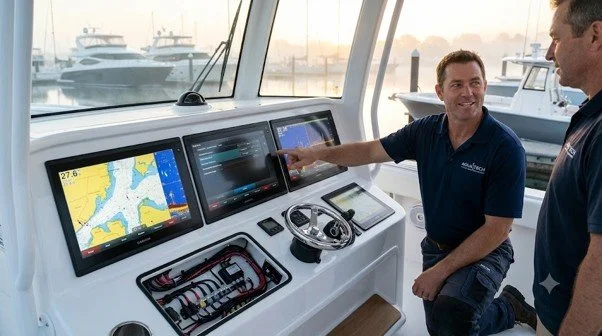
Searching for Marine Electronics Installation ? Start with These Questions
A search for marine electronics installation near me may bring up general boat repair shops, specialist electronics installers, and mobile marine technicians. The best fit is a professional who understands the type of display you want to install and can assess the electronics already fitted to your boat.
Ask how the installer will confirm compatibility before work begins. They should be able to identify your Garmin model, check its supported outputs, and explain how the proposed monitor will connect. Ask about mounting methods, cable routing, power requirements, and system testing as well. Clear answers help you judge whether the proposed installation suits your needs.
Experience with fish finders and chartplotters is useful, but ask about external monitor installations specifically. Mirroring a display is not the same as adding a second independent fish finder. An installer should explain the difference and avoid promising features that your equipment may not support.
Find a Marine Electronics Installer Who Understands Screen Integration
The search for a marine electronics installer near me should focus on more than fitting a screen into an available space. A good installation plan considers how the monitor connects to your system, how you will use it on the water, and how the finished setup affects your boat's layout.
For example, an angler who spends most of the day casting from the bow may want a monitor positioned within easy view. Someone who mainly navigates from the helm may have different needs. The installer should discuss these use cases before recommending a mounting position.
Ask how the finished system will be tested. The installer should check the power supply, connections, screen output, and mounting security. You should also understand what the monitor will display and whether it will mirror the original screen or offer separate functions. This makes the decision clearer before installation starts.
Garmin Compatibility Is the First Check, Not the Last
A Garmin name on a product does not mean every Garmin unit supports every external monitor. Compatibility depends on the exact head unit, available video output, connection method, and the monitor's supported input. These details should be checked before you purchase equipment or arrange installation.
If you want to view Garmin LiveScope information on another screen, tell the installer which Garmin unit and sonar system you use. Ask them to verify whether your intended setup can display the required content. A secondary monitor can show supported screen content, but it does not improve the sonar signal or create new sonar data by itself.
NorthWave Marine displays are intended for compatible screen mirroring applications. Confirm the required connections and system support for your specific setup before selecting a monitor. This simple check can help prevent a mismatch between the display you buy and the equipment already on your boat.
Turn a Crowded Console into a More Useful Fishing Setup
Your boat's layout affects how well you can use marine electronics. A monitor that blocks a control, sits at an awkward angle, or leaves cables exposed can make fishing less convenient. Good planning considers the screen and the space around it.
Before installation, think about your normal stance, glare from sunlight, access to controls, and room for rods and tackle. The monitor should be easy to view without getting in the way of safe movement. Cable paths should stay clear of foot areas and moving parts, and the mount should follow the display manufacturer's installation guidance.
NorthWave Marine offers three display families for different screen needs: the 16-inch LITE, the 18.5-inch and 19-inch WAVE, and the 22-inch MAX. The suitable option depends on your available space, viewing distance, and compatible connection method. A larger screen is not automatically the best choice if it does not fit your boat's layout.
Choose Your NorthWave Marine Display Before You Book the Installation
Choosing the display first gives you and your installer a clear starting point. Review the available screen sizes, measure the intended mounting area, and gather the model details for your current Garmin equipment. Share this information with the installer so they can assess the planned connection and identify any requirements before the work begins.
It is also useful to ask what the installation includes, how the system will be tested, and what limitations apply to your existing electronics. A clear plan helps set realistic expectations and makes it easier to compare installation services.
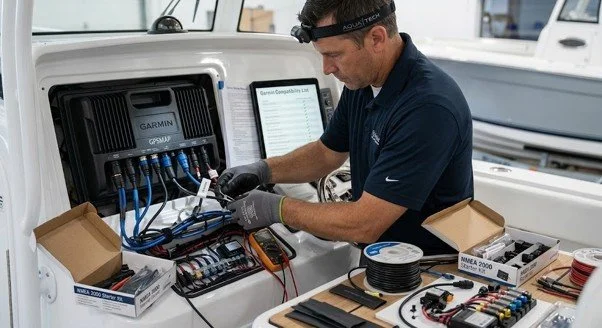
Make Your Next Display Upgrade Count with NorthWave Marine
The right marine monitor should match your boat, your electronics, and the way you fish. NorthWave Marine offers waterproof display options for compatible screen mirroring setups, helping you explore another way to view supported marine information.
Visit NorthWave Marine to compare our LITE, WAVE, and MAX displays. Check your Garmin model and connection options, then share those details with a qualified marine electronics installer before purchasing. A compatible display and a well-planned installation can help you build a fishing setup that works for your needs, without replacing equipment that is already doing its job.
Frequently Asked Questions
-
Choose an installer with experience in marine displays, fish finders, wiring, and screen integration. Ask about compatibility checks, mounting plans, system testing, and previous installations.
-
Yes, if your Garmin model supports the required video output and connection method. NorthWave Marine recommends checking your equipment specifications before selecting a compatible monitor.
-
Note your Garmin model, preferred screen location, available mounting space, and intended use. Share these details with your installer to help assess connection and installation needs.
-
A compatible secondary monitor lets you view supported navigation or sonar content from another location. NorthWave Marine offers different screen sizes for suitable marine mirroring setups.
-
Consider your boat layout, viewing distance, and available mounting space. NorthWave Marine offers 16-inch LITE, 18.5-inch and 19-inch WAVE, and 22-inch MAX displays.