What Makes a Touchscreen Marine Display Worth Adding to Your Fishing Boat?
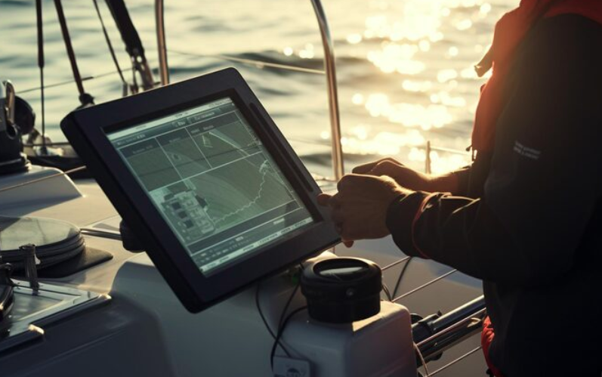
Summary: A touchscreen marine display helps anglers view compatible Garmin fishfinder data from the bow without buying another complete head unit. This guide explains the benefits of marine mirror screens, compares NorthWave Marine's 16-inch, 19-inch, and 22-inch models, and covers Garmin compatibility, screen placement, mounting space, waterproof ratings, cable routing, and installation planning to help boat owners choose the right display for their fishing setup.
A fishfinder can show useful sonar data, but its value also depends on how easily you can see that information from your fishing spot. If your main Garmin unit sits at the dash, checking the screen from the bow can mean turning away from your line, rod, and target area. A touchscreen marine display can solve this viewing problem by showing the screen from a compatible Garmin unit on a larger secondary display. At NorthWave Marine, we make marine mirror screens for anglers who want more screen space without buying another complete fishfinder or chartplotter. Our LITE, WAVE, and MAX displays offer different screen sizes for different boat layouts. The key is choosing a setup that matches your Garmin equipment, mounting space, and fishing habits.
Your Fishfinder Should Work Where You Fish
A boat's dash may be the best place for the main electronics, but it is not always the best place to view sonar while casting from the bow. Looking back and forth can make it harder to keep your attention on your fishing position. A secondary mirror screen brings the view closer to you. You can keep your main Garmin unit at the console and place a compatible NorthWave Marine display at the bow. This arrangement can help you view the same displayed information without walking back to the dash each time you need to check the screen. The benefit is simple: your display becomes easier to access from the place where you spend your time fishing.
Get More Screen Space Without Buying Another Head Unit
Adding another complete chartplotter can mean paying for a second main unit, even if you mainly want a larger view of the information already shown on your existing screen. NorthWave Marine takes a different approach. Our marine mirror displays show the output of a compatible Garmin unit on a separate screen. They are designed for anglers who want another viewing point rather than a second independent sonar system. This difference matters before you buy. A mirror display does not replace the Garmin unit that supplies the information, and it does not create a separate sonar feed on its own. Your primary unit and the supported connection setup remain central to how the system works.
Which Screen Size Fits Your Fishing Style?
Screen size affects more than appearance. It changes how much space the display takes up, how far away you can sit or stand while viewing it, and how easily it fits your boat's layout. NorthWave Marine offers three options:
LITE, 16-inch display: Suits anglers who want a larger secondary view but have limited mounting space.
WAVE, 19-inch display: Offers a middle option for boat owners who want more viewing area.
MAX, 22-inch display: Provides the largest screen area in our current range for anglers who prefer a broad view from a suitable mounting position.
A larger screen can make displayed information easier to view from farther away, but fit and placement still matter. Measure the available mounting area before choosing a model. Consider your viewing distance, steering and casting space, and access to controls around the display. Also think about who will use the screen most often. A display placed at the bow should be easy to see from your usual casting position without getting in the way of your rods or other gear.
Will It Work With Your Garmin Electronics?
Compatibility should be checked before you choose a screen. NorthWave Marine supports selected Garmin GPSMAP units, including models in the 1223xsv, 1523xsv, and 1623xsv groups, the 8410, 8412, and 8416, the 8610, 8612, and 8616, and the 9000 series. Support also includes non-touchscreen Garmin ECHOMAP Ultra 216 models.
Do not assume that every Garmin unit or connection method will work. Check the exact model and the required connection setup in our compatibility and installation guide. If you cannot confirm your unit, contact NorthWave Marine before ordering. This step can help you avoid buying a display that does not suit your existing electronics. It is also helpful to check the planned cable route and power needs before you start the installation, so you know what your boat setup will require.
Think Beyond Screen Size Before Installation
A good display setup starts with the space around the screen. The mounting point should offer a clear view without blocking fishing movement, steering, or access to other equipment. You should also consider cable routing, power needs, glare, and exposure to water. Check the monitor's stated waterproof rating and installation instructions rather than relying on the word marine alone. Secure mounting and suitable connections matter on a boat, where movement and water exposure are part of normal use. Plan these details before drilling or fixing the display in place.
It is also worth checking the screen from your normal fishing position before settling on a mounting spot. A display that looks well placed from the dock may be harder to see once you are standing at the bow. Leave enough room to move safely and keep cables clear of areas where they could catch on fishing gear. Careful planning can make the display easier to use and help prevent avoidable installation problems.
Closing Note:
A larger screen is worth considering if you want to view your compatible Garmin display from the bow without adding another complete head unit. NorthWave Marine offers the LITE, WAVE, and MAX mirror screens to suit different space and viewing needs. If you are comparing a 16 inch waterproof touchscreen monitor with larger options, start by checking your Garmin model, measuring the mounting area, and deciding where you need the screen most. Think about how you fish, how far you will stand from the display, and how much room your boat has. These simple checks can help you choose a screen that fits your needs.
Ready to choose your display? Review NorthWave Marine's product range and compatibility guide, or contact our team for help finding a marine mirror screen that fits your boat and Garmin setup.
FAQs:
-
A touchscreen marine display shows fishing data on a screen. NorthWave Marine offers mirror displays that show content from compatible Garmin units at another boat location.Description text goes here
-
Yes, if the Garmin model and connection setup are supported. Check NorthWave Marine's compatibility guide before choosing a display for your current electronics.
-
Descripti Measure the mounting space and consider viewing distance. NorthWave Marine offers 16-inch, 19-inch, and 22-inch displays for different boat layouts and needs.on text goes here
-
Item descript A 22-inch display offers more screen area, but the best size depends on mounting space, viewing distance, boat layout, and personal fishing needs.ion
-
Check Garmin compatibility, mounting space, power needs, cable routing, glare, and the stated waterproof rating. Follow the installation instructions for safe use.