How Do You Plan a LiveScope 22-inch Display Upgrade Around Your Fishing Needs?
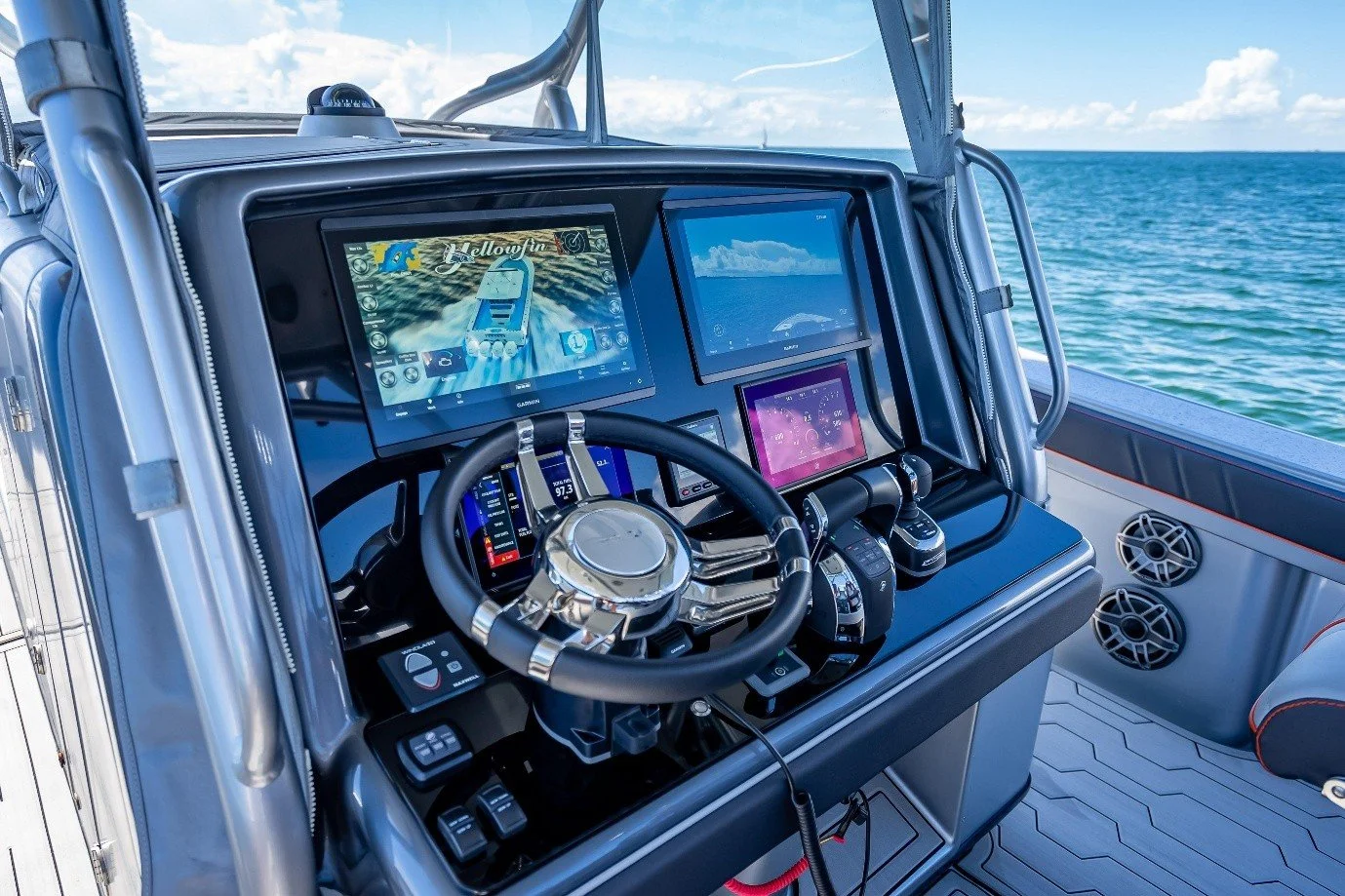
A LiveScope 22 inch display can give anglers more room to view sonar details from the bow of a boat. Yet a larger screen is most useful if it fits your fishing style, mounting space, and existing Garmin system. At NorthWave Marine, we offer waterproof mirror displays that show compatible Garmin screen output at a second location. This lets you keep your main unit at the dash while viewing LiveScope near your rod. A smart upgrade starts with your needs, not the screen size alone. Before you choose a monitor, think about how often you use LiveScope, where you stand to fish, and how easily you can see the screen in bright daylight.
Start With the Way You Fish
Your fishing habits should guide your display choice. If you spend most of your time casting from the bow, a screen near your standing position can make sonar information easier to view. You can follow fish marks, watch underwater cover, and check the area around your lure without turning toward the console.
Anglers who fish from different spots may need a screen that works well with their boat layout. Think about your usual casting position, the distance between you and the display, and how much room you have near the trolling motor. At NorthWave Marine, we help anglers consider these details before choosing a mirror monitor. A screen placed too far away may be harder to read, while one set too close may take up useful deck space. Plan for comfort as well as screen size.
Is a 22 Inch Screen Right for Your Boat?
A 22-inch display offers a wide viewing area. This can help you inspect the sonar image from a comfortable distance. It may also suit anglers who want more room to view information on one screen. However, a larger display needs enough mounting space and a secure support.
Measure the planned location before buying. Check the width, height, cable path, and space needed around nearby controls. Think about sunlight and glare, too. A screen that faces direct sunlight may be harder to read. The best setup places the monitor within easy view without blocking rods, navigation equipment, or movement across the deck. Also check that you can reach the screen safely and move around it without hitting the mount.
NorthWave Marine offers the MAX 22-inch model for anglers who want the largest screen in our current range. Its size makes it worth considering for a boat with enough room for a stable mount and a clear viewing angle. Before choosing it, compare the available space with the full size of the monitor and its mounting hardware.
Keep Your Garmin System at the Center
A mirror display shows the output of a compatible Garmin fishfinder or chartplotter. It does not work as a separate sonar unit or create new LiveScope data. Your main Garmin device remains the source of the image, while the secondary screen gives you another place to view it.
This matters because Garmin models can use different connection methods. Before placing an order, confirm that your exact unit supports the required setup. NorthWave Marine provides compatibility guidance for selected GPSMAP models, including the 1223xsv, 1523xsv, 1623xsv, 8410, 8412, 8416, 8610, 8612, 8616, and 9000 series. Support also includes non-touchscreen ECHOMAP Ultra 216 models. Check your device and connection needs before choosing a monitor. This step helps you avoid buying a screen that cannot work with your current equipment.
Plan the Mount Before the First Trip
A good installation starts before any cable is connected. Choose a location that gives you a clear view while standing or sitting in your usual fishing position. Make sure the mount can hold the screen securely during normal boat movement. Keep cables away from moving parts, sharp edges, and areas where people may step.
You should also check power needs and cable length. A neat cable route can reduce clutter and make later checks easier. Review the NorthWave Marine installation guide before fitting your display. If you are unsure about a connection or mounting method, ask our team for guidance before you begin. Check that the screen does not block your view of the water or make it hard to use other boat controls. A careful plan can save time during installation and help you prepare for your next fishing trip.
Compare Screen Sizes Before You Commit
The biggest display is not always the best match for every boat. NorthWave Marine offers three sizes to suit different layouts and viewing needs. The LITE 16 inch works for anglers who want a compact secondary screen. The WAVE 19 inch offers a middle option with a wider viewing area. The MAX 22 inch provides the largest screen in our range.
Think about how far away you stand, how much deck space is free, and how much screen area you need to read sonar details. This simple check can help you choose a monitor that fits your boat rather than forcing your layout to fit the screen. Consider your usual fishing style, too. A compact setup may work well in a tight bow area, while a larger monitor may suit a boat with more open space.
Final Thoughts:
A successful LiveScope upgrade starts with clear goals, accurate compatibility checks, and a safe mounting plan. NorthWave Marine helps anglers select waterproof mirror displays that suit their Garmin setup and fishing position. If a 22-inch screen feels too large for your boat, a 19 inch display for Garmin LiveScope may offer a better fit, provided your system is compatible. Our range also includes a 16-inch option for anglers who need a smaller screen. The right choice depends on your boat, viewing distance, and available mounting space.
Contact NorthWave Marine for help checking your Garmin model, comparing screen sizes, and preparing your installation. Choose a display that fits your boat and the way you fish.
FAQs:
Q1. What should I consider before buying a LiveScope 22-inch display?
Consider your fishing position, mounting space, viewing distance, glare, power needs, and Garmin compatibility. NorthWave Marine can help you assess these factors before choosing.
Q2. Does a 22-inch mirror display improve Garmin LiveScope sonar performance?
A larger display provides more viewing space, but it does not improve sonar data or range. It shows compatible Garmin output on another screen.
Q3. Which NorthWave Marine screen sizes are available for Garmin setups?
NorthWave Marine offers LITE 16 inch, WAVE 19 inch, and MAX 22 inch waterproof mirror displays for compatible Garmin systems and boat layouts.
Q4. How do I check Garmin compatibility before ordering a mirror screen?
Check your exact Garmin model and connection requirements against NorthWave Marine's compatibility guidance. Confirm support before ordering to avoid connection problems during installation.
Q5. Where should I mount a secondary LiveScope display on my boat?
Choose a secure location near your fishing position with a clear viewing angle. Keep controls accessible, avoid glare, and route cables away from moving parts.