How Can Marine Screens for Fishing Improve Your Garmin LiveScope Viewing Setup?
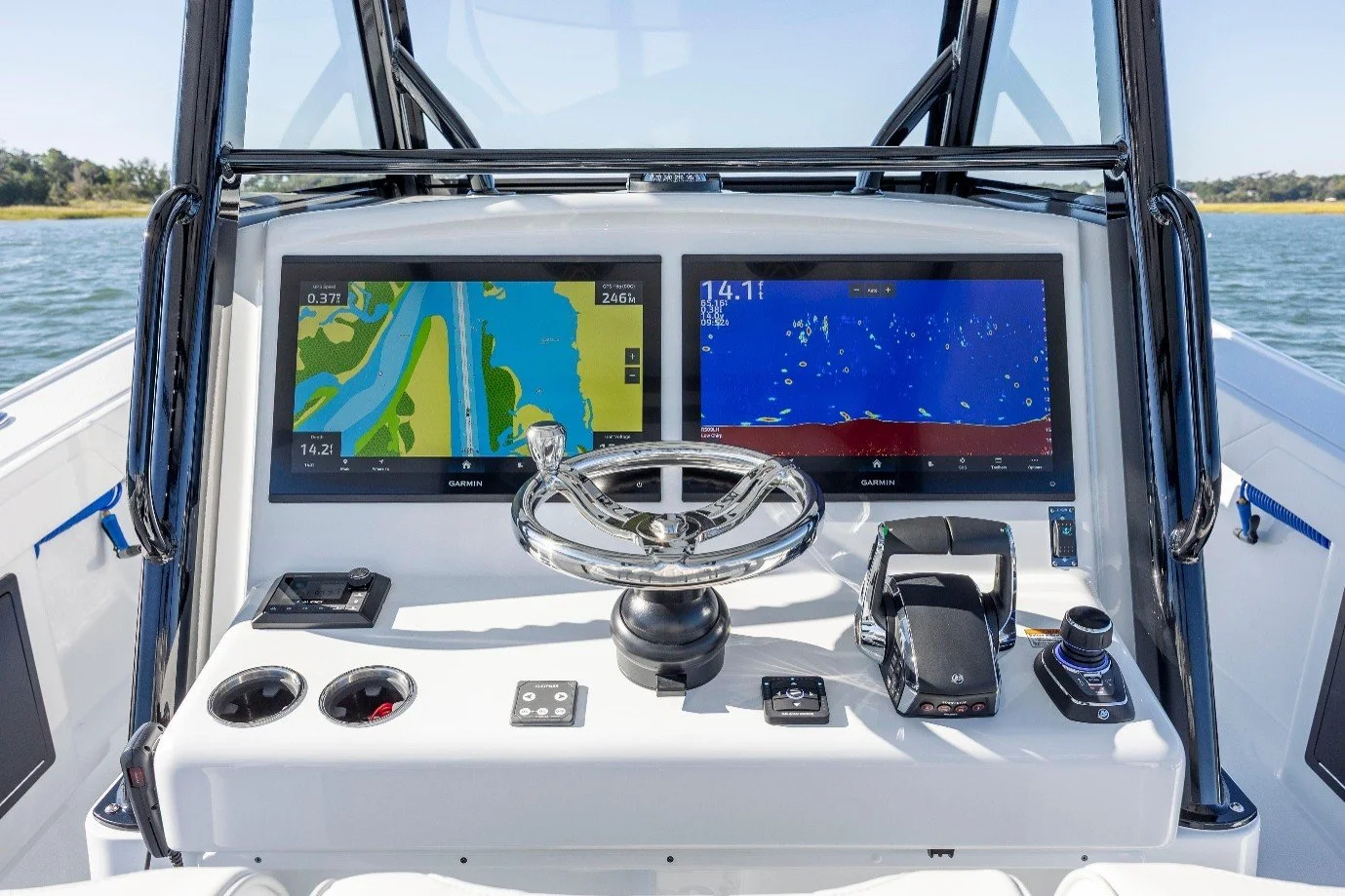
Garmin LiveScope gives anglers a live view of fish, bait, and underwater cover. Yet the value of this sonar view also depends on how well you can see the screen from your fishing position. Marine screens for fishing offer a way to bring that view closer to the bow without moving your main Garmin unit from the dash. At NorthWave Marine, we help anglers build larger viewing setups with waterproof mirror displays made for compatible Garmin systems. The goal is simple: keep useful sonar information in sight while you stay focused on fishing. A well-placed screen can also make it easier to check sonar details during long fishing sessions, especially if you spend most of your time casting from the front of your boat.
Your Sonar View Should Match Your Fishing Position
A fishfinder at the dash may work well while driving or checking a map. It can be less useful once you move to the bow to cast, pitch a lure, or work a target. Looking back at the console can break your focus and make it harder to follow sonar changes during an active fishing session. You may also miss small changes on the screen if you cannot see it clearly from where you stand.
A mirrored screen places the same compatible Garmin display in a more useful spot. You can watch LiveScope from the bow while keeping your main unit at the dash. This can make it easier to follow fish movement, check the area around your lure, and study underwater cover without changing your usual fishing position. For anglers who move between casting spots, this setup keeps the main sonar view close at hand. You can spend less time turning toward the console and more time watching your lure and the water around it.
More Screen Space Can Help You Read LiveScope
LiveScope presents a live sonar view, so fish, bait, and structure can appear as changing marks on the display. Screen size alone does not improve sonar data, but a larger viewing area can make it easier to inspect the information shown by your Garmin unit. Clear viewing is useful if you need to tell a fish mark from nearby cover or watch how fish respond to your lure.
A bigger screen also gives you more room to view details without crowding a small display. This can be useful during focused casting, vertical jigging, or fishing around submerged cover. Results still depend on sonar settings, viewing distance, screen resolution, and the quality of the source image. A mirror monitor displays the compatible Garmin output rather than creating new sonar information. It does not increase sonar range or improve the data from the transducer. Instead, it gives you another place to view the information your Garmin system already provides.
Three Screen Sizes for Different Boat Layouts
The best monitor is one that suits your mounting space and the distance from which you plan to view it. NorthWave Marine offers three marine mirror displays, giving anglers a choice based on their boat layout and preferred screen size. Before you choose, measure the space near the bow and think about how far away you will stand from the screen. A display should be easy to view without blocking your rods, controls, or other equipment.
LITE 16 inch: This model suits anglers who want a larger secondary view without using as much mounting space as a 19-inch or 22-inch display. It is worth considering for a compact bow setup.
WAVE 19 inch: The middle option offers more screen area for anglers who want a wider view and have room for a larger mount. It can suit a boat with a dedicated bow display position.
MAX 22 inch: Our largest model gives anglers the most screen space in the NorthWave Marine range. It is an option for those who prefer a broad viewing area and have enough room for a secure installation.
All three models are designed for marine screen mirroring. Before choosing, consider available space, viewing distance, power requirements, and Garmin compatibility. The largest option is not always the best fit. The right size is the one that lets you see the screen clearly and works well with your boat layout.
Check These Details Before You Buy
A large display is useful only if it works with your existing equipment. NorthWave Marine provides compatibility guidance for selected Garmin GPSMAP models, including the 1223xsv, 1523xsv, 1623xsv, 8410, 8412, 8416, 8610, 8612, 8616, and 9000 series. Support also includes non-touchscreen ECHOMAP Ultra 216 models.
Check your exact unit before ordering. Do not assume every Garmin fishfinder supports the same mirroring method. Confirm the required video connection, power supply, cable length, and installation space. Plan the mount so it stays secure during boat movement and does not block controls or other equipment. Think about glare and the angle of the display, too. A screen placed in direct sunlight may be harder to read. Our installation and compatibility guide can help you prepare for setup and check the details before you buy.
Ending Note:
A second screen can help you keep LiveScope in view without buying another full fishfinder just to see the same compatible display output. NorthWave Marine focuses on this practical approach, giving anglers a choice of waterproof mirror monitors for their boat setup. By keeping your main Garmin unit at the dash and adding a screen near the bow, you can create a viewing position that better suits the way you fish. If you want a 16 inch monitor for Garmin LiveScope, our LITE model is a useful starting point. Confirm compatibility with your Garmin unit before placing an order. Consider your mounting space, cable route, and preferred viewing angle so the display fits your boat and your fishing routine.
Contact NorthWave Marine for help checking your Garmin model, choosing a screen size, and preparing for installation. Find the display that fits your boat and keeps your sonar view within sight at the bow.
FAQs:
Q1. How can a marine mirror screen improve Garmin LiveScope viewing?
A marine mirror screen lets you view compatible Garmin sonar information near the bow, helping you watch fish, bait, and underwater structures from your fishing position.
Q2. Which NorthWave Marine screen size should I choose for my boat?
NorthWave Marine offers LITE 16-inch, WAVE 19-inch, and MAX 22 inch displays. Choose based on mounting space, viewing distance, and personal needs.
Q3. Can a NorthWave Marine display replace my main Garmin fishfinder?
No. Our mirror displays show compatible Garmin screen output on a secondary monitor, allowing you to keep your primary fishfinder at the dash.
Q4. Are NorthWave Marine screens compatible with every Garmin fishfinder?
No. Compatibility depends on the Garmin model and connection method. Check your device against NorthWave Marine's supported models before ordering a display.
Q5. What should I check before installing a marine mirror screen?
Check Garmin compatibility, power needs, cable length, mounting space, screen angle, and glare. NorthWave Marine's installation guide can help you prepare your setup.